Color shift in Voukoder Pro 2026.0.18.0

  • I'm seeing a subtle but clearly visible color/contrast shift when exporting from DaVinci Resolve using Voukoder Pro 2026.0.18.0.

    I tested the following:

    • Same Resolve project
    • Same source footage
    • Same GPU (RTX 5060 Ti)
    • Same NVENC encoder

    Results:

    • Voukoder Pro 2026.0.18.0 → visible color shift
    • Voukoder 13.4.1 → colors match the timeline correctly
    • Resolve native CineForm export → colors match correctly

    I also tested different Voukoder input formats (YUV 4:2:0, YUV 4:4:4, etc.) and RGB Mode settings. No change.

    Most importantly, the shift appears not only with HEVC/NVENC, but also with ProRes exported through Voukoder Pro. This suggests the issue happens before the encoder stage.

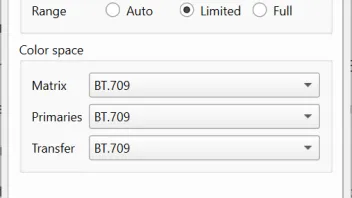
    MediaInfo reports correct BT.709 metadata, so the problem does not seem to be missing color tags.

    A while ago I had a similar FFmpeg issue (when converting videos via script) and fixed it by explicitly forcing Rec.709 conversion:

    Code
    -vf colorspace=all=bt709:iall=bt709
    -color_primaries bt709
    -color_trc bt709
    -colorspace bt709
    -color_range tv

    Could there be a color conversion regression in the Voukoder Pro pipeline compared to Voukoder 13.4.1?

    I'm uploading the original video and two conversions:

    VoukoderProTest
    Shared folder VoukoderProTest
    k00.fr


    This color shift makes Voukoder Pro unreliable for me. I didn't find a way to resolve this, so I'm going back to v13 for now.


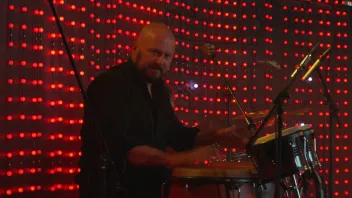
    This is original:


    This is converted in Voukoder Pro:
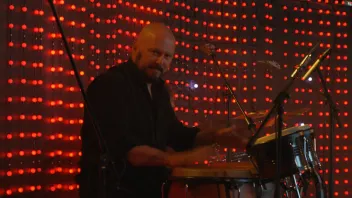


    I even tried forcing correct parameters – same result, subtle color/contrast shift.


    Okay, I've actually tried to downgrade to v2.0.10, and guess what, everything is fine - no color shift. So, you've broken something in 2026 version. And not only that. The overall responsiveness of the software seems to have degraded, with noticeable lag when opening the Scene Designer. And the Scene Designer no longer respects the scene selected in DaVinci Resolve. Instead, it consistently opens the first scene by default, requiring me to manually select the correct one every time. The arrow to resize Properties window (such as Encoder Properties) doesn't show up (you have to guess where to click to adjust the window size). That's just few of the things I've noticed.
    Einmal editiert, zuletzt von Vouk (9. Juni 2026 um 11:43) aus folgendem Grund: 2 Beiträge von biont mit diesem Beitrag zusammengefügt.

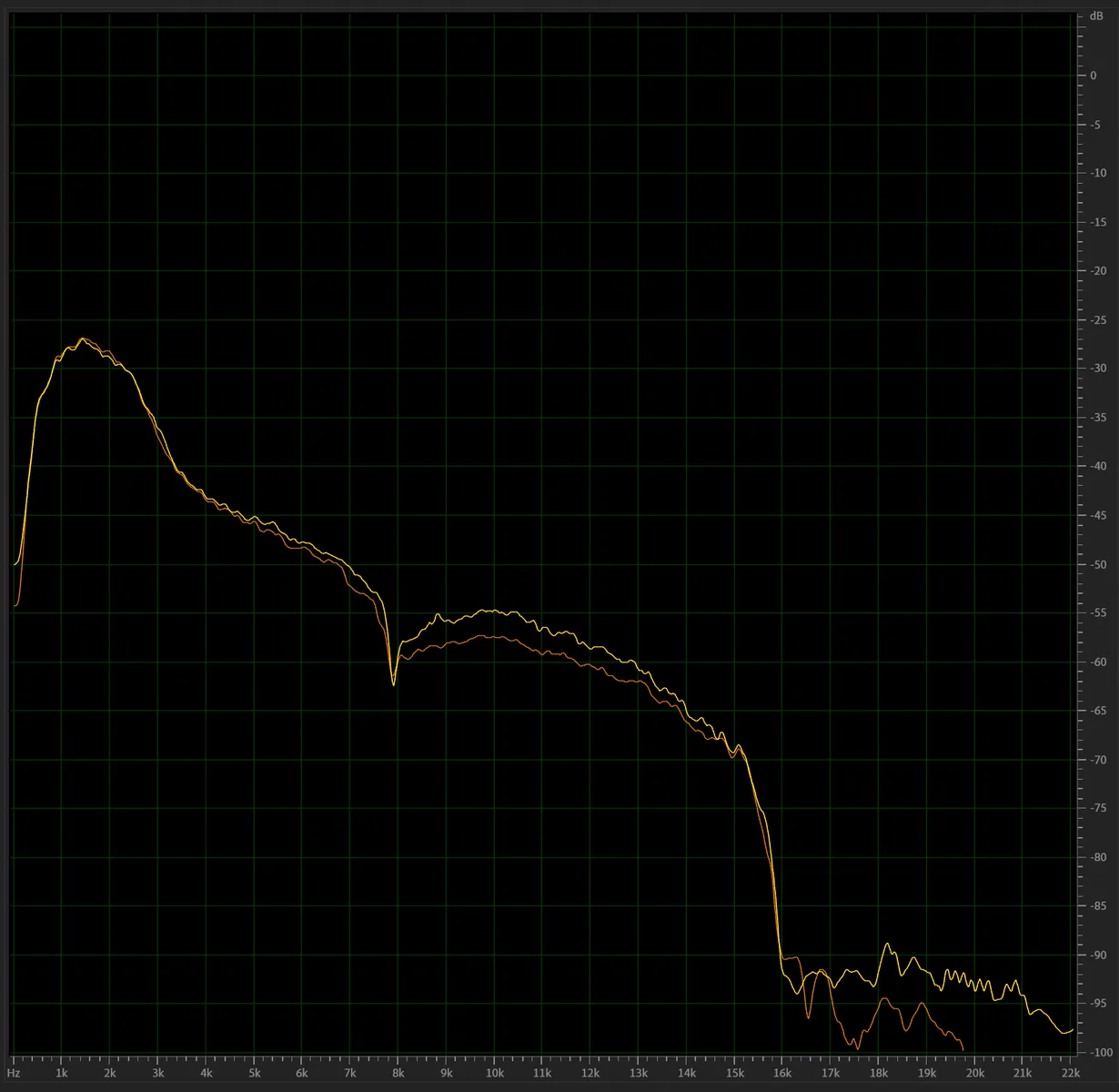
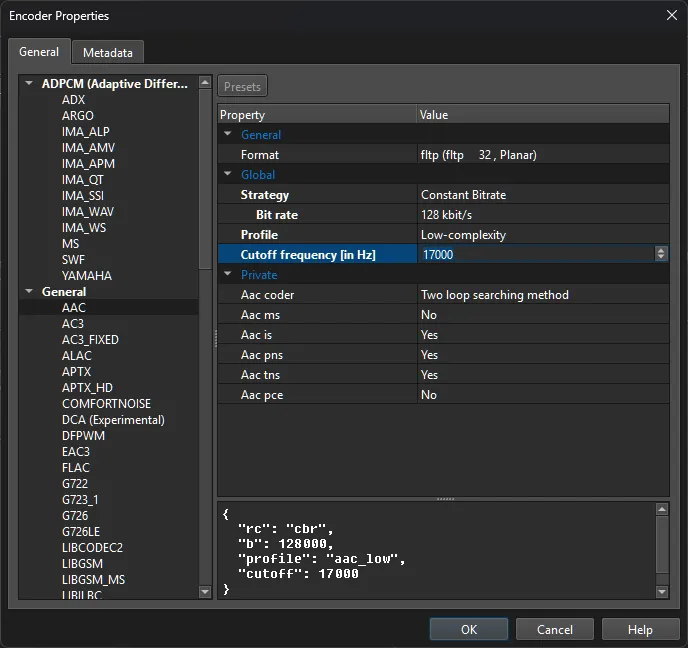
  • Just a quick extra, nothing to do with color shift, but something I've noticed regarding the difference between versions 2 and 3. I've listened to a file encoded in v3 and thought the sound has too many artifacts at 128kbps. So, I've taken the original file and encoded it using the same template but in v2. Then I opened the audio in both files in Audition to do a frequency analysis. And here's what I see:

    V2 (orange) does a proper frequency cutoff at 20000 Hz, as instructed in Encoder Properties. While V3 (yellow) doesn't perform any cutoffs (although it's the same template). And therefore introduces noticeable artifacts in high frequencies.

  • Well, I've done my reporting, should be fairly easy for you to check, if the color issue is solved or not. I provided the file. As for me, I'm staying on v2 for now, because of the mentioned problems of v3: more laggy interface, selected Scene in Davinci Resolve is not opened stratight away in the Scene Designer, and now I also discovered another bug:

    Issue: Timecode track is inconsistently lost when exporting Individual Clips

    I used Voukoder Pro 3 (v3.0.18) from DaVinci Resolve to create proxy/archive files.

    Workflow:

    • Imported many camera-original clips into DaVinci Resolve.
    • Placed all clips on a timeline.
    • Exported using Deliver page → Individual Clips.
    • HEVC/H.265 output via Voukoder Pro 3.

    Problem:

    Some exported files contain a proper QuickTime timecode track (tmcd), while others lose it completely, despite the original camera files containing valid source timecode.

    As a result:

    • Some exported clips can be linked back as proxy media in DaVinci Resolve.
    • Other exported clips cannot be linked because the exported file contains no timecode track.

    Example:

    Original files:

    • 20260506_B0025.mp4 → contains source timecode (10:19:25:23)
    • 20260506_B0026.mp4 → contains source timecode (10:49:03:21)

    Exported with the same workflow and settings:

    • 20260506_B0025.mp4 → no tmcd track present
    • 20260506_B0026.mp4 → tmcd track present and working

    ffprobe confirms that both original files contain valid timecode metadata, but only some exported files receive a QuickTime TimeCode (tmcd) track.

    Expected behavior:

    All exported clips should preserve source timecode consistently when using Individual Clips export.

    Actual behavior:

    Timecode preservation appears inconsistent. Some files retain a tmcd track, while others lose it entirely, making proxy relinking impossible in DaVinci Resolve.

    V2 has the same bug, unfortunately.

    The reason I tried moving to v3 was because of anticipated ability to change Codec ID from hev1 to hvc1. But this hasn't been implemented last I checked.


    Oh, and another thing, while I still remember. When using Voukoder at least once in Davinci Resolve Studio, the built-in H.264 and H.265 encoders in Davinci stop working, trying to encode produces error. Until reboot of application. So, once Voukoder is used at least once, I need to restart Davinci to be able to use built-in codecs. That's also been the case with old Voukoder 13.4.1.

    And regarding the audio issue I told you about. As you might know, Voukoder has a maximum available cutoff setting of 20000. So, no matter what I put in that field, it will never go beyond 20000. Meaning, there shouldn't be ever a situation, where the graph is showing values beyond 20K. And you can clearly see in my picture, that the curve goes well beyond. Hence the artifacts. So, it's definetly a bug I had in v3.0.18. But, like I said, I'm now staying on v2 until major updates have been made to v3. I'm okay with having to run hvc1 codec ID script seprately, already used to this workflow. Main thing that there are no other bugs that would irritate me.

    2 Mal editiert, zuletzt von Vouk (19. Juni 2026 um 06:38) aus folgendem Grund: Ein Beitrag von biont mit diesem Beitrag zusammengefügt.