Yes! Got it working now, thank you so much!
Didn't realize the file wasn't a proper MP4, sorry. If you ever need to import and work with MKV files directly, the Autokroma Influx importer plugin makes it a seamless process. Just FYI.
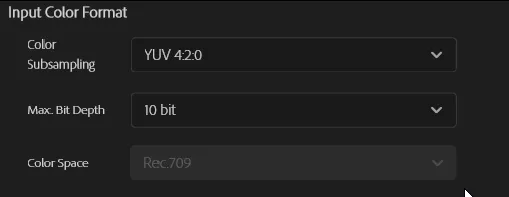
For anyone else reading this, basically import the file, create a sequence, and go straight to Export to set up the exporter settings to "Rec. 2020 PQ (HDR10)" and "4:2:2" as per morphinapg's post above. Unless your project color settings were changed from defaults, nothing else needs changing.

I think I did find a bug though. If you set up the exporter with 4:2:0 [...] It won't work. Only 4:2:2 worked for me. I used that since my footage is already 4:2:2 anyway, but I didn't realize the 4:2:0 option wasn't working correctly until just now.
Can confirm. 4:2:2 worked. 4:2:0 didn't. This was the reason my yesterday tests failed. Looks like a bug.
Also, you shouldn't need this now: "colorprim=bt2020:transfer=arib-std-b67:colormatrix=bt2020nc" in the encoder
Yep. I did two tests, with these params and without them. The file sizes are identical and HDR output is the same. Do color params get ignored on export now, or do the settings from Premiere's Export tab take priority? Whatever it is, things got even easier.
Vouk and morphinapg, I want to thank both you again for all your help. I was going out of my mind trying to get this thing to work for a while now, so this feels like a dream come true. I'll be working on a lot of HDR files soon (want to back up my entire home library to AV1), so if I encounter any more issues, I'll let you guys know. Cheers!