

VEGAS Pro 23 doesn't render

  • Checked and double-checked license in Scene Designer and in \AppData\Local\VoukoderPro\license.txt

    License is definitely my license for Vouk V2

    I can repro the crash on render every time, but no log seems to be generated. I will attach the last log but I think it might not help.

    Also, anomalies?

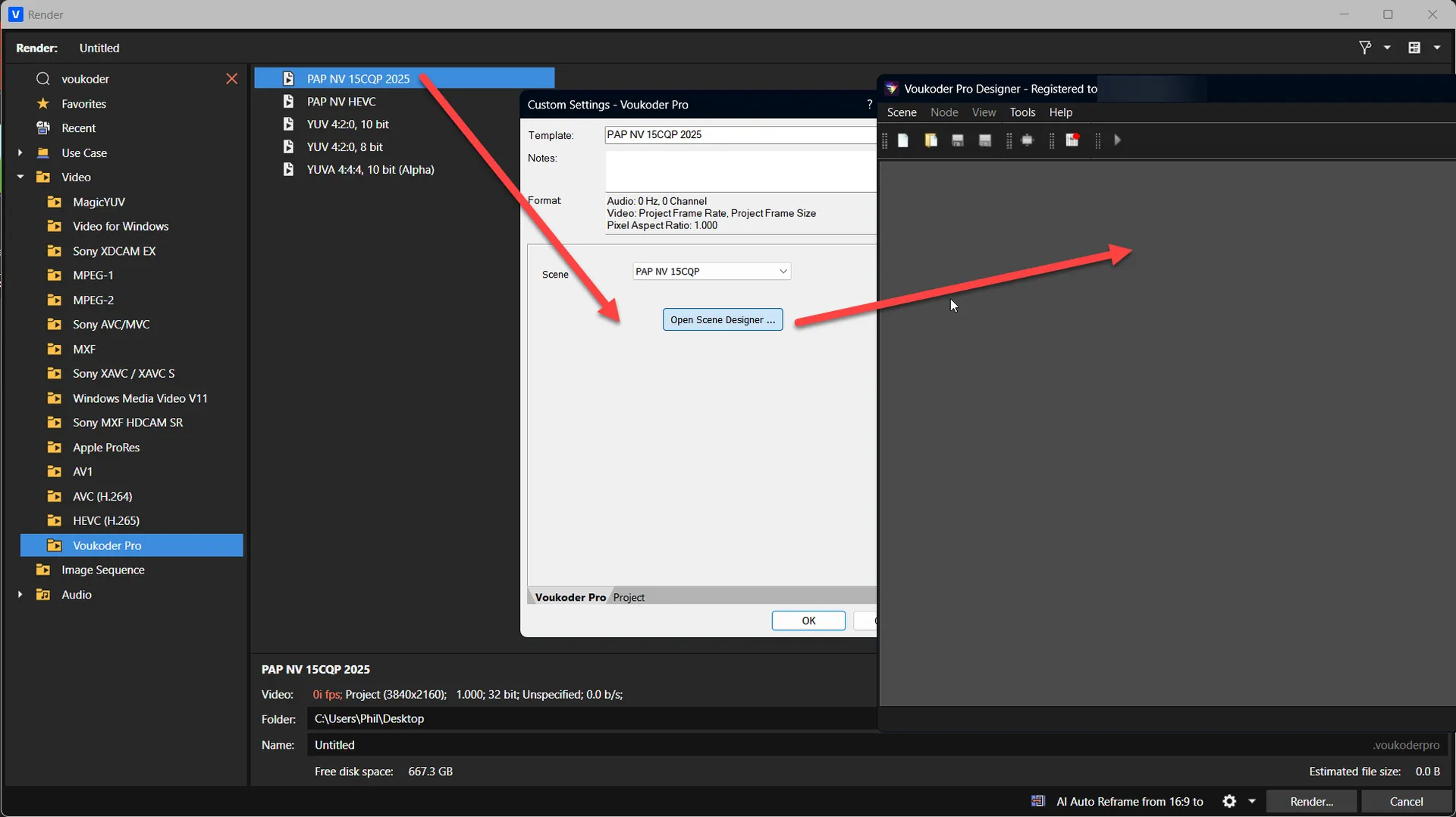
    • Select my Vouk preset in Vegas
    • Click customize
    • Then Open Scene Designer
    • The Scene Designer shows blank page
    • Load my Scene into the designer
    • Save As but still shows blank


    • Also, when selecting another Vouk preset in Vegas and clicking customize
    • The Scene that is showing the Vegas customize dialog is always the same scene

    Sorry, there is no way to upload a log file or zip file here in this forum. I don't want use file sharing I will email it to you. With title "Log from Funghie".

    Cheers,
  • Hi, there are a lot of log files in:

    AppData\Local\VEGAS Pro\23.0

    I will email them to you as they may contain sensitive data.

    Indecently the issue with the scenes seems to have fixed itself. When I go to customize each of my render templates, it now shows the correct Vouk scene. But then when I open the scene, scene designer is blank. (not sure if this is relevant / or expected)...


    Edited once, last by Funghie (October 1, 2025 at 2:53 PM).

  • Vouk October 1, 2025 at 7:26 PM

    Changed the title of the thread from “VEGAS Pro 23 doesn't render” to “[SOLVED] VEGAS Pro 23 doesn't render”.
  • Vouk October 2, 2025 at 6:10 AM

    Changed the title of the thread from “[SOLVED] VEGAS Pro 23 doesn't render” to “VEGAS Pro 23 doesn't render”.