I'm getting really confused! Is Voukoder Pro 2026 and Vegas Pro 23 a supported combination? Has anybody got that to work?
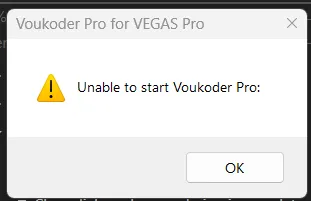
Until recently, I was happily using Voukoder Pro 2 and Vegas Pro 19 --- it worked great from the get-go  . I then upgraded to Voukoder Pro 2026 and got the dreaded "not showing up as an available option on the Render screen" issue. I tried everything: uninstalling everything, cleaning out the registry, multiple reboots, etc etc but all to no avail. The only option was to go back to version 2.
Now I've upgraded to Vegas Pro 23 and I've got exactly the same problem with Voukoder Pro 2026. But now I'm in a worse situation, because Voukoder Pro 2 and VP23 is not a supported combination.
I've done all the usual tests in VP23: the dll is loaded, the Designer works as expected, I've created and saved a Scene, I've run the Tests in the Designer etc.
Now what do I do? Go back to VP19 and Voukoder 2 or abandon Voukoder and continue with VP23. Neither choice is very good.. 





 . I started looking through Vegas log files in C:\users\<me>\appdata\local\vegas pro\23.0 and the fileio_x64.log looked interesting because there was no entry for voukoder in it but the Help...About...Components always reported the dll as there.