

Do you see it here?
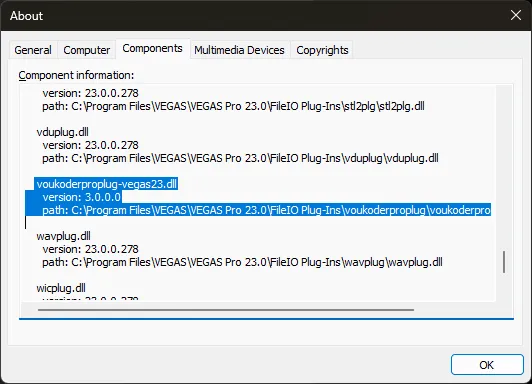
Do you see it here?
You have to check the "Show all formats" checkbox:
The beta license is for free and valid until the end of the year. You need to buy an update after it, or you can continue using version 2
Some formats / muxers support not all codecs. In Voukoder this is hardcoded. Voukoder Pro let's FFmpeg the decision what codec can be used for which muxer. Give it a try with a free trial license.
Yes, here is the link: https://github.com/Vouk/ffmpeg/re…uild-2025-09-15
This is the first beta release of the new Voukoder Pro 2026 (or 3.0.0). I have decided to include the year to indicate it'll be an annual release.
FFmpeg 8.0: https://github.com/Vouk/ffmpeg/re…uild-2025-09-15
This forum is for reporting findings/bugs in the beta release of new Voukoder Pro version.
Please report it here including all relevant information.
1 issue per topic please.
I'll see what I can do.

Yes, although I'm not sure if it is about the end-times. Anyway, it's good we know about this now.
I tested it today and it seems to be working:
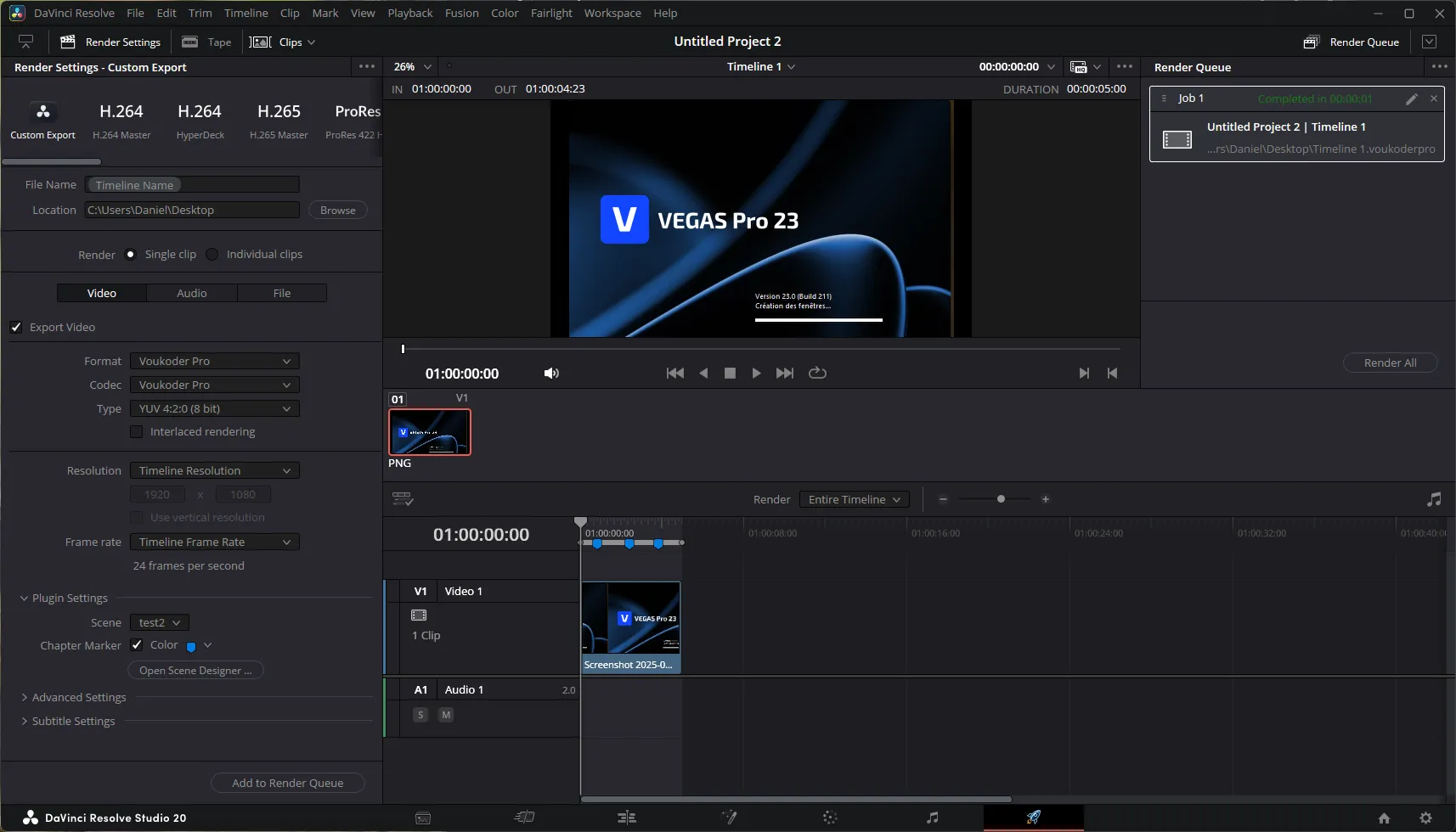
and i got this:
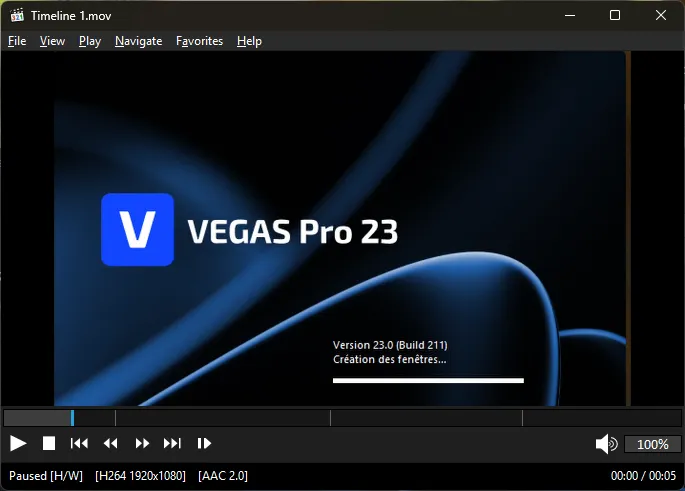
Log:
2025-09-14 09:32:58 (trace)    [FFmpeg:0]   Chapters:
2025-09-14 09:32:58 (trace)    [FFmpeg:0]     Chapter #0:0:
2025-09-14 09:32:58 (trace)    [FFmpeg:0] start 0.833333,
2025-09-14 09:32:58 (trace)    [FFmpeg:0] end 0.000000
2025-09-14 09:32:58 (trace)    [FFmpeg:0]       Metadata:
2025-09-14 09:32:58 (trace)    [FFmpeg:0]         title           :
2025-09-14 09:32:58 (trace)    [FFmpeg:0] Marker 1
2025-09-14 09:32:58 (trace)    [FFmpeg:0]
2025-09-14 09:32:58 (trace)    [FFmpeg:0]     Chapter #0:1:
2025-09-14 09:32:58 (trace)    [FFmpeg:0] start 2.416667,
2025-09-14 09:32:58 (trace)    [FFmpeg:0] end 0.000000
2025-09-14 09:32:58 (trace)    [FFmpeg:0]       Metadata:
2025-09-14 09:32:58 (trace)    [FFmpeg:0]         title           :
2025-09-14 09:32:58 (trace)    [FFmpeg:0] Marker 2
2025-09-14 09:32:58 (trace)    [FFmpeg:0]
2025-09-14 09:32:58 (trace)    [FFmpeg:0]     Chapter #0:2:
2025-09-14 09:32:58 (trace)    [FFmpeg:0] start 3.833333,
2025-09-14 09:32:58 (trace)    [FFmpeg:0] end 0.000000
2025-09-14 09:32:58 (trace)    [FFmpeg:0]       Metadata:
2025-09-14 09:32:58 (trace)    [FFmpeg:0]         title           :
2025-09-14 09:32:58 (trace) [FFmpeg:0] Marker 3And yes, I remembered the end-times were optional.
Can you provide me more info to generate a non-working state?
I'll check this tomorrow.
The error was:
2025-09-13 19:47:19 (trace)    [FFmpeg:0] Invalid chapter start (126280000000) or end (0).
2025-09-13 19:47:19 (error)    [OutputNode.cpp:201] Unable to write format header.
2025-09-13 19:47:19 (error)    [Router.cpp:161] Open phase failed: -11
The chapter data was:
2025-09-13 19:47:19 (trace)    [FFmpeg:0]   Chapters:
2025-09-13 19:47:19 (trace)    [FFmpeg:0]     Chapter #0:0:
2025-09-13 19:47:19 (trace)    [FFmpeg:0] start 0.000000,
2025-09-13 19:47:19 (trace)    [FFmpeg:0] end 0.000000
2025-09-13 19:47:19 (trace)    [FFmpeg:0]       Metadata:
2025-09-13 19:47:19 (trace)    [FFmpeg:0]         title           :
2025-09-13 19:47:19 (trace)    [FFmpeg:0] Marker 1
2025-09-13 19:47:19 (trace)    [FFmpeg:0]
2025-09-13 19:47:19 (trace)    [FFmpeg:0]     Chapter #0:1:
2025-09-13 19:47:19 (trace)    [FFmpeg:0] start 126.280000,
2025-09-13 19:47:19 (trace)    [FFmpeg:0] end 0.000000
2025-09-13 19:47:19 (trace)    [FFmpeg:0]       Metadata:
2025-09-13 19:47:19 (trace)    [FFmpeg:0]         title           :
2025-09-13 19:47:19 (trace)    [FFmpeg:0] Marker 2
2025-09-13 19:47:19 (trace)    [FFmpeg:0]
2025-09-13 19:47:19 (trace)    [FFmpeg:0]     Chapter #0:2:
2025-09-13 19:47:19 (trace)    [FFmpeg:0] start 644.680000,
2025-09-13 19:47:19 (trace)    [FFmpeg:0] end 0.000000
2025-09-13 19:47:19 (trace)    [FFmpeg:0]       Metadata:
2025-09-13 19:47:19 (trace)    [FFmpeg:0]         title           :
2025-09-13 19:47:19 (trace)    [FFmpeg:0] Marker 3
2025-09-13 19:47:19 (trace)    [FFmpeg:0]
2025-09-13 19:47:19 (trace)    [FFmpeg:0]     Chapter #0:3:
2025-09-13 19:47:19 (trace)    [FFmpeg:0] start 1381.280000,
2025-09-13 19:47:19 (trace)    [FFmpeg:0] end 0.000000
2025-09-13 19:47:19 (trace)    [FFmpeg:0]       Metadata:
2025-09-13 19:47:19 (trace)    [FFmpeg:0]         title           :
2025-09-13 19:47:19 (trace)    [FFmpeg:0] Marker 4
2025-09-13 19:47:19 (trace)    [FFmpeg:0]
2025-09-13 19:47:19 (trace)    [FFmpeg:0]     Chapter #0:4:
2025-09-13 19:47:19 (trace)    [FFmpeg:0] start 1860.600000,
2025-09-13 19:47:19 (trace)    [FFmpeg:0] end 0.000000
2025-09-13 19:47:19 (trace)    [FFmpeg:0]       Metadata:
2025-09-13 19:47:19 (trace)    [FFmpeg:0]         title           :
2025-09-13 19:47:19 (trace)    [FFmpeg:0] Marker 5
2025-09-13 19:47:19 (trace)    [FFmpeg:0]
2025-09-13 19:47:19 (trace)    [FFmpeg:0]     Chapter #0:5:
2025-09-13 19:47:19 (trace)    [FFmpeg:0] start 2562.360000,
2025-09-13 19:47:19 (trace)    [FFmpeg:0] end 0.000000
2025-09-13 19:47:19 (trace)    [FFmpeg:0]       Metadata:
2025-09-13 19:47:19 (trace)    [FFmpeg:0]         title           :
2025-09-13 19:47:19 (trace) [FFmpeg:0] Marker 6Please remove the first chapter:
2025-09-13 19:47:19 (trace)	[FFmpeg:0]     Chapter #0:0:
2025-09-13 19:47:19 (trace)	[FFmpeg:0] start 0.000000,
2025-09-13 19:47:19 (trace)	[FFmpeg:0] end 0.000000
2025-09-13 19:47:19 (trace)	[FFmpeg:0]       Metadata:
2025-09-13 19:47:19 (trace)	[FFmpeg:0]         title           :
2025-09-13 19:47:19 (trace) [FFmpeg:0] Marker 1In theory this should be possible. I'll think about it and put it on my todo list.
That'd be great and I'd put it in the documentation.
Check your logfile. The ZIP file is empty.
I'm currently on a business trip and will investigate this when I'm back at home on the weekend .
Yes. Please see the latest news.
VEGAS Pro 23 will be supported with the Voukoder Pro 3 version.
I will drop a beta version most likely at October 1st.
Note: It is important to check the "Show all formats" checkbox to see the Voukoder Pro plugin.